We've added a way to archive events you no longer run, without deleting them.
How It Works:
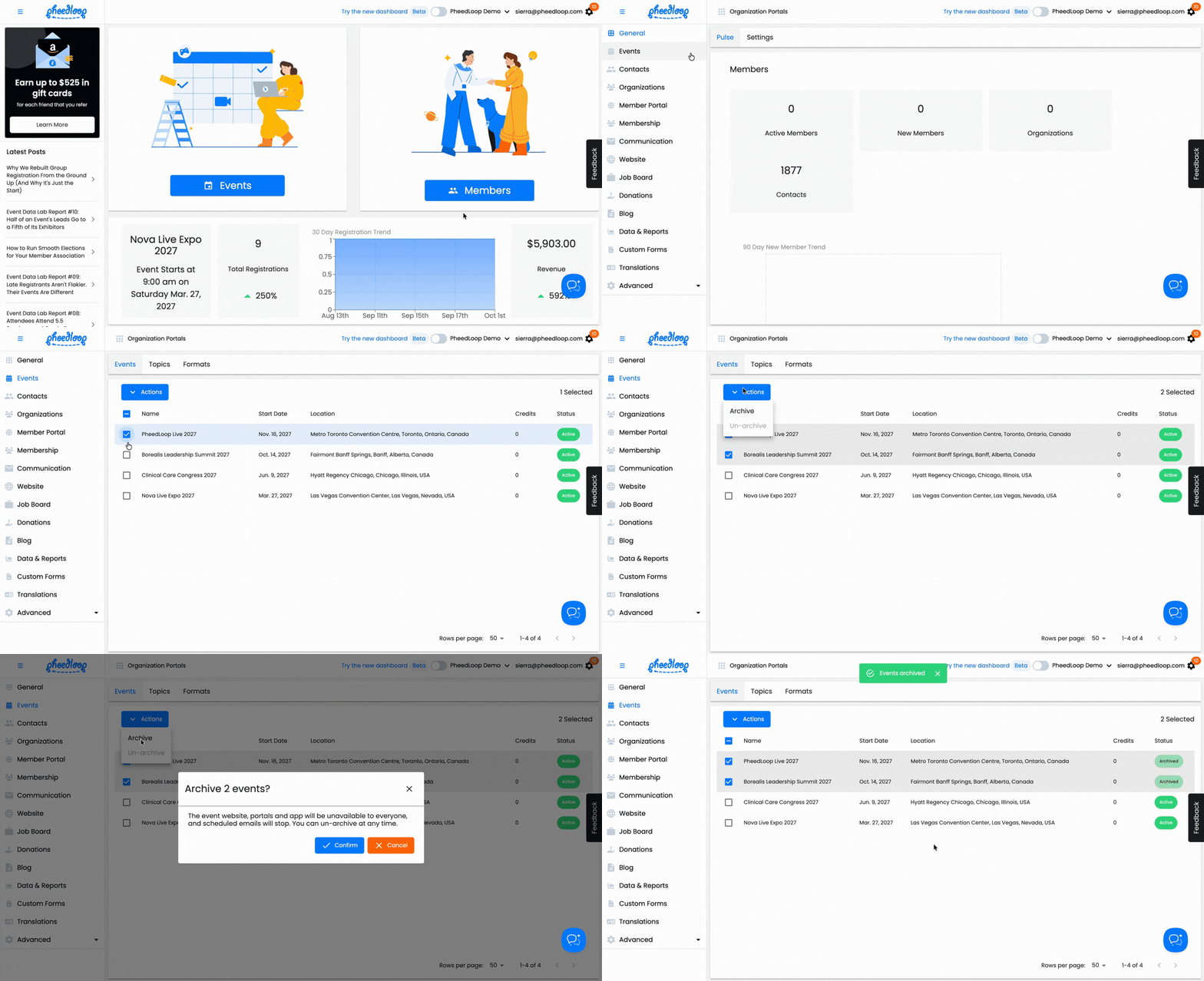
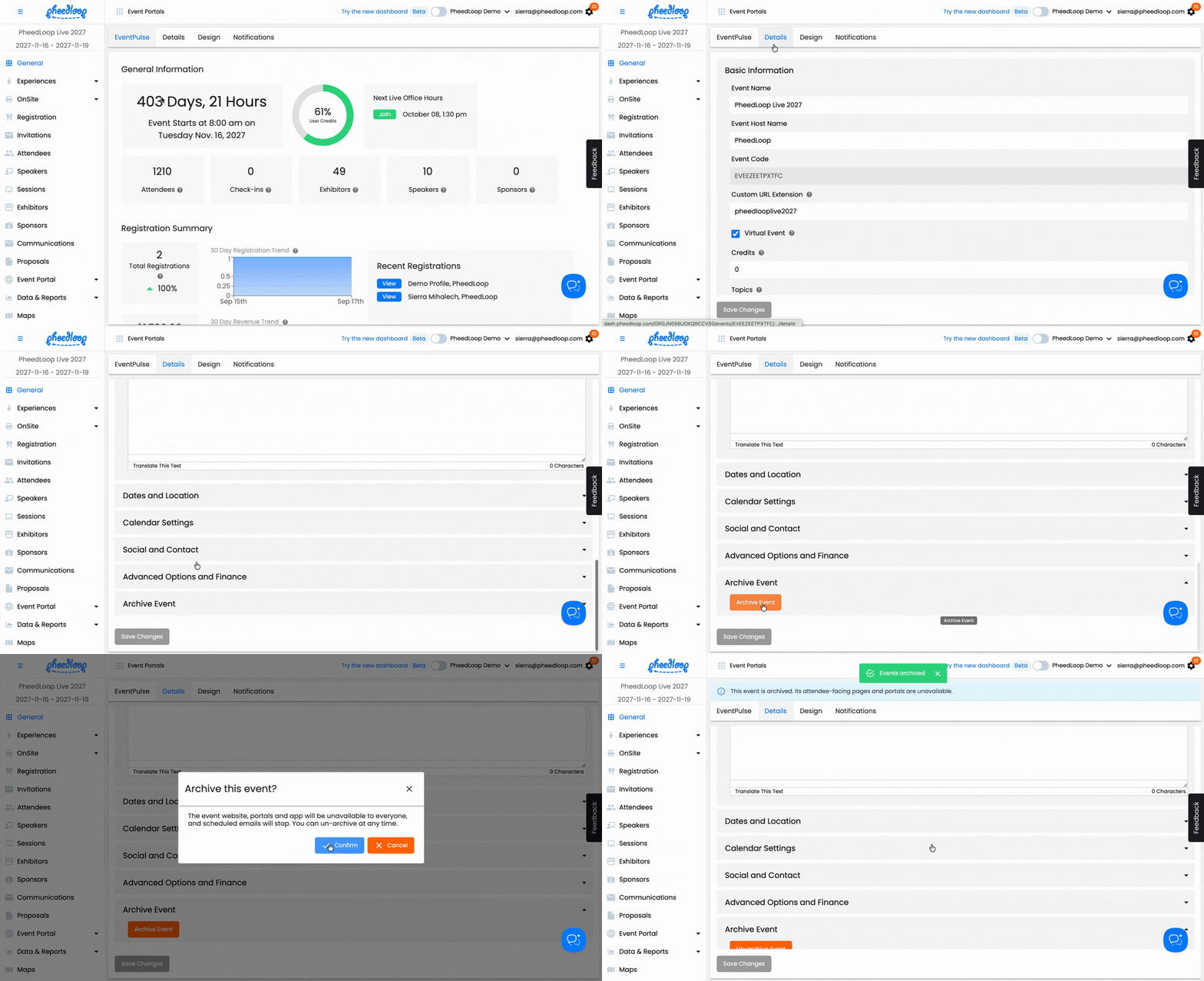
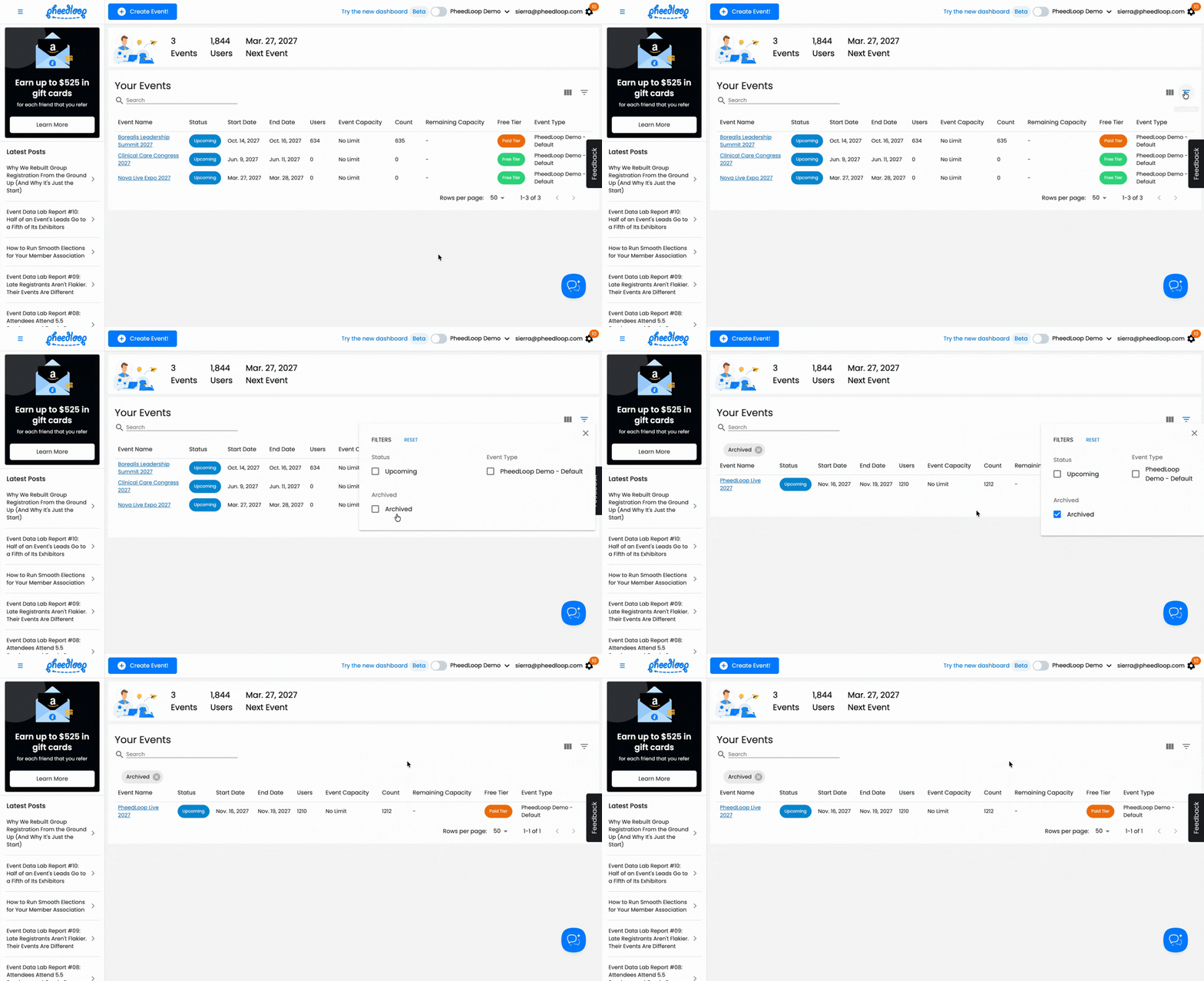
- Archive in Bulk or One at a Time: Select events under Organization > Membership > Events and choose Archive, or use the Archive button in an event's settings. Archived events leave your main event list, and a new filter shows them when you need them.
- Attendee Pages Go Offline, Credits Stay the Same: While an event is archived, its website, portals, app, registration and check-in aren't available, so only archive events that are finished. Its users still count toward your user credits.
- Un-Archive Anytime: Use the archived filter or the event's settings, and everything comes back as it was.
Nothing is archived automatically and nothing is deleted. Past events just step out of the way until you need them again.
More information: How can I archive an event?